








 Answer Engine
Table of Contents
Duration: minutes
Number of Lessons:
 Basic Math
  Pre Algebra
 Algebra I
  Algebra I
 Algebra II
  Geometry
  Trigonometry
  Precalculus
  Math Analysis
  AP Calculus AB
  AP Calculus BC
 AP Statistics
 Gen. Statistics
  Gen. Statistics
 Probability
  College Calculus: Level I
 College Calculus: Level II
  Multivariable Calculus
  Linear Algebra
  Differential Equations
  General Chemistry
  Gen. Chemistry
 AP Chemistry
  Biochemistry
  Organic Chemistry
  Organic Chemistry Lab
  Physical Chemistry
  Physics – High School (Theory & Application)
  AP Physics 1 & 2
  AP Physics C: Mechanics
  AP Physics C: Electricity & Magnetism
  AP Physics B
 AP Physics C: Mechanics
 AP Physics C: Electricity Magnetism
 Life Science (Middle School)
 Regular Biology
 Anatomy & Physiology
  General Biology
  AP Biology
  AP Environmental Science
 Microbiology
 Molecular Biology
  Intro to Psychology
 AP Psychology
 AP US History
 AP World History
 HTML Training
  HTML 5
 Intro to Ruby Programming
  Web Design & E-Commerce
 Introduction to C++
 Intermediate Level C++
 CSS Intro
 Java
Java AP CompSci: Intro to Java
 JavaScript
 Introduction to PHP
  Advanced PHP Training w/ mySQL
  C#
C# Visual Basic
 XML Training
 QuickBooks (How-To Guide)
  MATLAB
 Excel Power QueryExcel VLOOKUP FundamentalsMicrosoft Excel FormulasMicrosoft Excel Keyboard ShortcutsMicrosoft OneNoteMicrosoft Outlook FundamentalsMicrosoft Power BIMicrosoft PowerPoint FundamentalsMicrosoft TeamsMicrosoft Word FundamentalsSQL - Master SQL Database QueriesZoom - Master Video Conferencing
 Adobe Dreamweaver CC
 Adobe Dreamweaver CS6
  Adobe Photoshop CS6
  Photoshop Designs to Code
 Edge Animate CC
 jQuery Mobile
 Adobe Illustrator CS6
 Adobe Premiere Pro CS6
 Adobe Premiere Elements 11
 ColdFusion 9
 ColdFusion 9: Application Framework
 Fireworks CS6: Web Workflow
 Adobe Photoshop Elements 11
  English Grammar
 Advanced English Grammar
 English Composition
 Application Essays
 AP English Language & Composition
 AP English Literature & Composition
 Shakespeare: Plays & Sonnets
 Reading Comprehension
 AP Spanish
 AP Studio Art 2-D
 Music Composition
 Music Theory
 Music History & Appreciation
 Learn Piano for Beatmakers and ProducersFL Studio Beginners CourseEssential Gear Needed to Make BeatsAdvanced Music Production SecretsFL Studio Intermediate CourseSong Structure and Arrangement Music CourseFoundational Drum Loop BasicsSample Your Own MusicA Specific Music Production FolderCreating Organic BeatsHow to Use EQ Effectively In Your SongsWhy Do We Producers Use Audio CompressionHow to Release a Professional Beat TapeMusic Theory and Chords for BeatmakersFL Studio Mixer WorkflowSafe Spots: Create Amazing Drum LoopsMusical RhythmsAP US HistoryAP World HistoryAP Language and CompositionAP English Literature & CompositionAP Studio Art 2-DAP SpanishAP PsychologyAP Biology AP Chemistry AP Physics 1 & 2 AP Physics BAP Physics C: Mechanics AP Physics C: Electricity/Magnetism AP Physics C: MechanicsAP Physics C: Electricity/MagnetismAP Computer ScienceAP Environmental ScienceAP Calculus AB AP Calculus BCAP Statistics
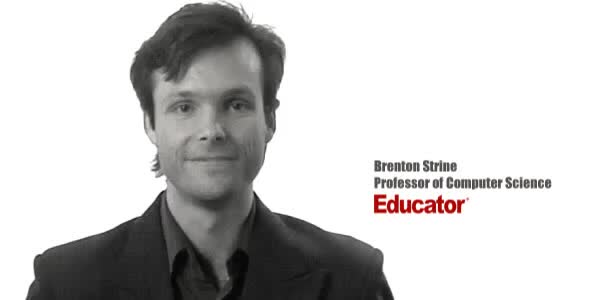
Brenton Strine teaches Educator's WordPress course utilizing his expertise building websites and blogs for a wide variety of clientele since the 1990's. This course is perfect for both beginner web developers with no prior programming knowledge, as well as seasoned veterans. Brenton begins with installing and setting up Wordpress to choosing custom themes and plugins. He then moves into creating posts, adding media, and getting help from the vibrant WordPress community. More advanced topics include modifying themes and search engine optimization (SEO) of websites. After the course, the user will be able to create beautiful, functional, and fully customizable websites in minutes.
Duration: minutes
Number of Lessons:
Please sign in to participate in this lecture discussion.
Our free lessons will get you started (Adobe Flash® required).
Get immediate access to our entire library.